How to Recover Your Trust Wallet Account
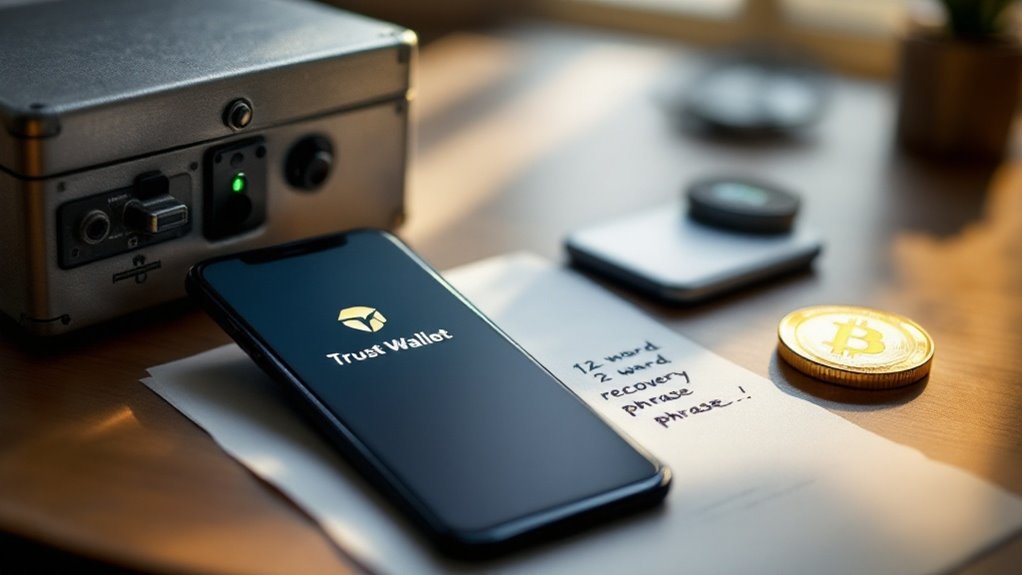
To recover a Trust Wallet account, users need their 12-word recovery phrase—the only key to their funds. On mobile, go to Settings > Wallets, tap the plus icon, select “Add Existing Wallet,” and enter the phrase in correct order. For PC, use the Chrome extension’s “Reset Wallet” option. Never store this phrase digitally; consider metal engraving instead. Without this phrase, funds are gone forever. The next steps reveal vital security measures after recovery.

Losing access to a crypto wallet isn’t just annoying—it’s potentially devastating. Thousands of dollars gone because you forgot a password or switched phones. It happens. Trust Wallet users face this reality every day, but there’s a path back to those digital assets.
That 12-word recovery phrase? It’s everything. Not some optional security feature. The entire key to your crypto kingdom. Trust Wallet doesn’t keep a copy. Nobody does. If you lose it, your funds sit in blockchain limbo forever. Period.
Your seed phrase isn’t a backup—it’s the only key to your crypto fortune. Lose it, and those coins vanish forever.
Recovery sounds simple enough. Lost your device? Reinstall the app and enter those magic words. Forgotten your password? Reset the wallet and use the phrase. Bought a new phone? Same deal. The order matters though—mix up those words and you’re accessing a completely different wallet. Empty, of course.
The mobile recovery process works like this: Open Trust Wallet, go to Settings, then Wallets. Tap the plus icon, select “Add Existing Wallet,” and type in those precious words. Done correctly, your balance reappears. Like nothing ever happened.
PC users follow a similar path. The Chrome extension has a “Reset Wallet” option. Enter your phrase, and you’re back in business. If you still have access but want to view your phrase, it’s stored locally behind your app password.
Never, ever store this phrase digitally. Not in email. Not in cloud notes. Not in a password manager. Hackers dream of finding these. Physical storage only—fireproof, waterproof, somewhere secure. Some paranoid types even engrave them on metal. Smart move, actually. These seed phrases are generated from a pool of 2048 specific words that create mathematically secure and unique combinations.
After recovery, check that everything’s there. If you notice missing assets, you can use the search feature within the app to locate and add specific coins. Update the app too. Security matters. Trust Wallet uses self-custody principles that make you solely responsible for protecting your assets without any centralized backup.
The system isn’t perfect. One wrong word, one missed step, and those coins might as well be on Mars. Trust Wallet recovery works flawlessly—until human error enters the equation. Test your phrase before you need it. Your future self will thank you.
Frequently Asked Questions
Can I Recover My Trust Wallet Without a Recovery Phrase?
No, recovering a Trust Wallet without the 12-word recovery phrase is nearly impossible.
That’s just how crypto works. Swift Wallet users might have luck with PassKeys, if they weren’t deleted.
Professional recovery services exist, but success? Rarely guaranteed.
Cloud backups could help if the phrase was stored there. Support can’t do much either.
Bottom line: no phrase, no funds. The system’s designed that way. Security comes at a price. Brutal but true.
Does Trust Wallet Charge Fees for Account Recovery?
Trust Wallet doesn’t charge direct fees for account recovery. Zero. Nada. They’re not in the business of profiting from your mistakes.
However, blockchain network fees still apply when making transactions during recovery. These are unavoidable.
Third-party recovery services? Different story. They’ll charge whatever they want if you’ve lost your seed phrase.
And exchanges might hit you with fees if you need them to resend funds.
The wallet itself? Completely free.
How Long Does the Trust Wallet Recovery Process Take?
Trust wallet recovery time varies wildly.
Standard recovery with a valid seed phrase? Just 2-5 minutes.
Password reset takes seconds if you’ve got the seed phrase handy.
But lose that sacred seed phrase? You’re in trouble.
Professional recovery services might take weeks.
They’ll brute-force passwords or reconstruct partial seed phrases.
No guarantees though.
Recovery isn’t waiting on blockchain confirmations.
It’s all about what you’ve got—seed phrase, password, or nothing at all.
Can I Recover Multiple Wallets With the Same Recovery Phrase?
Yes, users can recover multiple wallets with a single recovery phrase.
That’s the whole point of Trust Wallet’s multi-coin functionality. One 12-word phrase automatically generates all private keys for different cryptocurrencies. Restore once, get everything back.
Bitcoin, Ethereum, whatever—all derived from that same phrase. No need to juggle separate keys for each coin. Pretty convenient.
But this also means extra protection is essential—lose that phrase and everything’s gone. For good.
Is It Possible to Recover Deleted Trust Wallet Transaction History?
Trust Wallet doesn’t store deleted transaction history in-app. Once gone, it’s gone.
However, blockchain explorers save the day. Users can retrieve their complete transaction history by inputting their wallet address into network-specific explorers like Etherscan or BscScan.
The blockchain never forgets. CSV exports are available for record-keeping.
The app itself? Useless for recovery. Everything exists on the blockchain, not in the app interface. Simple as that.
If you’ve lost access to your Trust Wallet, this comprehensive guide will help you recover digital asset holdings safely and efficiently.
Understanding how to recover your account is crucial for maintaining secure access to trust wallet monetary systems and protecting your digital assets.
Understanding how wallet monetary systems work is crucial before attempting to recover your Trust Wallet account and access your funds.